Who Offers AI Call Agents With Customizable Scripts For Sales Calls?

Have you ever sat through a sales call where the rep sounded like they were reading from a script written in 1998? You already know why AI call agents with customizable scripts are blowing up right now. Teams are tired of robotic monotones, awkward pauses, and agents who completely ignore what the customer just said.
Sales leaders want something smarter: an AI call agent that actually follows your playbook, adapts mid-conversation, and doesn’t forget basic details like the name of the product it’s selling.
That’s why today we’re breaking down the top platforms that offer true customization: real control over the words, tone, and logic behind your calls. And yes, we’re shaking things up a bit because some tools are genuinely impressive… while others talk a big game but fall apart the moment a lead says something unexpected.
What Makes a Great AI Call Agent for Sales Calls?
Choosing an AI call agent isn’t just about finding the one with the fanciest demo video. It’s about picking the tool that won’t embarrass your team on a live call or ignore everything your prospect just said.
Here are the criteria that actually matter, based on real scenarios sales teams deal with every day.
Fully customizable scripts and workflows
An AI agent should follow your sales process, not force you into a generic, templated script that sounds like it was written for a cable company in 2007. Your team needs to adjust intros, objection handlers, qualification steps, fallback logic, and tone.
You should be able to edit intros, change tone, rearrange qualification questions, add fallback logic, and even build completely different flows for different buyer personas. And you shouldn’t need a developer every time you want to replace one sentence.
Natural, human-sounding voice
Your prospects shouldn’t feel like they’re talking to a GPS trying its best. A great AI agent should sound warm, confident, and conversational. No weird pauses, no random speed changes, and no “Let me check that…” moments that make you want to unplug the whole system.
Real-time adaptability
If a lead suddenly says, “I already talked to someone about this,” “I’m in a meeting,” or “Can you send details instead?”, your AI should adapt instantly.
A rigid agent that keeps pushing the script even when the conversation shifts is basically that coworker who ignores every hint you give that you’re already late to another meeting.
Integrations with your CRM and tools
If your AI can’t sync with your CRM, you’re basically creating twice the work for your team. Every note, tag, lead status update, and outcome should automatically land in the right place.
If your AI talks to 200 leads in a day but logs nothing, your pipeline turns into complete chaos. Integrations make sure your reps enter calls already knowing who’s warm, who’s cold, and who responded with, “Email me the details and I’ll check it after lunch.” Automations keep everyone aligned.
Lead qualification and routing
A strong AI agent evaluates. It should know how to identify budget, authority, timeline, and interest level without sounding like it’s interrogating the prospect. And once it figures out the lead’s status, it should know exactly where to send them.
Warm lead? Push them to book a call. Not a fit? Politely close out. VIP prospect? Alert a human immediately. This is where smart routing saves time. Your sales reps shouldn’t waste their afternoon calling people who clearly aren’t ready. The AI should filter, qualify, and route leads so humans only focus on the ones that matter.
Smooth handover to a human rep
Look, sometimes a lead just wants to talk to a real person. Maybe they’re ready to buy, or maybe they have a detailed question the AI shouldn’t guess its way through. In that moment, a good AI should hand off instantly.
A smooth transition is crucial. It could be a live transfer, scheduling a call, or sending the lead directly to a rep’s inbox with all relevant notes attached.
Clear reporting and analytics
Your AI should show which parts of the script work, where people hesitate, which objections come up most, and how many calls actually lead to bookings. Real insights help you refine the messaging and spot issues before they turn into lost deals.
Without analytics, you’re basically operating on gut feeling. And gut feeling is how you end up with six different people debating why conversions dipped last month. Good analytics turn conversations into actionable improvements.
Easy setup and scaling
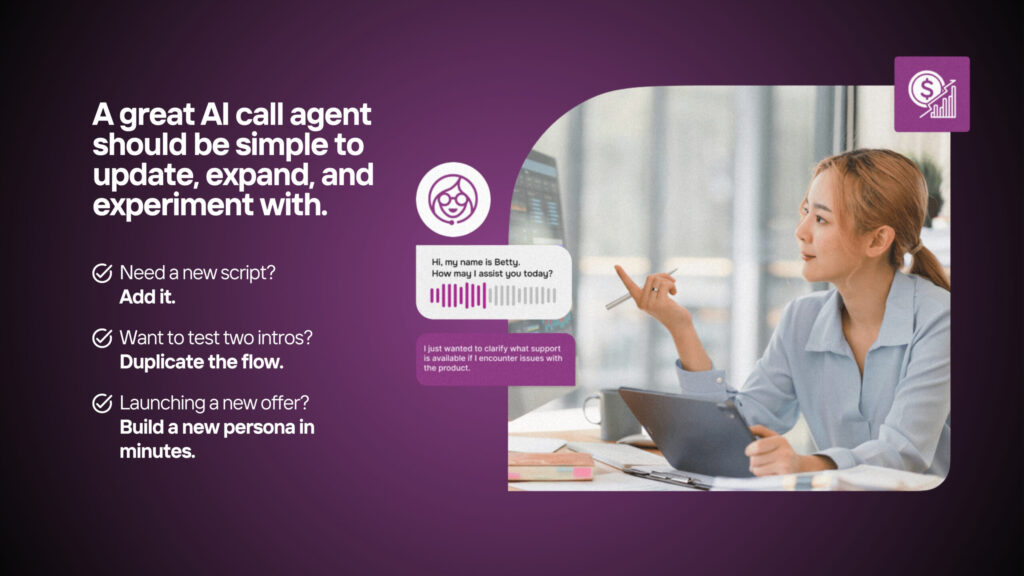
If it takes you two weeks and a small IT department just to build one agent, you’ll never scale. A great AI call agent should be simple enough for non-technical team members to update, expand, and experiment with.
Need a new script? Add it. Want to test two intros? Duplicate the flow. Launching a new offer? Build a new persona in minutes. The best tools grow with you without turning every update into a mini-project.
Top 6 AI Call Agents With Customizable Scripts
There are dozens of AI call agents out there claiming they can “revolutionize your sales calls,” but very few actually give you real control over what the agent says, how it behaves, and how it reacts when a prospect suddenly throws in a curveball.
Below, we break down the six platforms that actually offer customizable scripts, ranked based on usefulness, flexibility, and how well they handle real-world sales chaos.
1. Betty AI
Betty AI leads this list for one simple reason: it gives you complete control over your call agent without making your brain hurt. The entire workflow builder is designed so sales and operations teams can build, edit, and launch agents quickly.
No coding, no “please ask your developer,” no stress. It adapts well to unpredictable calls and stays on-brand no matter how weird the conversation gets.
Before we dive deeper, here’s a quick snapshot of what makes Betty stand out:
Feature | Why It Matters |
Fully customizable scripts & no-code workflows | Lets you control tone, logic, qualification, and responses without engineering help |
Human-like sales-ready voice | Sounds natural and confident, ideal for outbound sales calls |
Real-time adaptability | Adjusts to questions, objections, and unexpected turns instantly |
CRM-friendly integrations | Automatically logs outcomes, notes, and updates |
Fast setup and easy scaling | Build new flows in minutes; rollout is painless |
Betty AI remains the top choice because it blends flexibility with simplicity. In short, it’s powerful enough for teams that need customization but simple enough not to ruin your afternoon.
2. Synthflow AI
Synthflow AI is great for those who enjoy tinkering. It offers a flexible workflow builder that feels more like a sandbox, perfect for those on the team who enjoy building detailed logic paths and tweaking conditions. It leans slightly more technical, but it delivers solid customization once you get the hang of it.
Here’s a quick comparison of what stands out:
Feature | Why It Matters |
Modular, build-it-yourself workflows | Great for teams who want to customize deeper logic |
Reliable script editing | Good control over messaging and branching responses |
Better for technical users | Non-technical users may need time to adjust |
Good outbound capabilities | Suitable for cold outreach and follow-up calls |
Moderate voice quality | Natural enough, but not as polished as others |
Synthflow is perfect if you like having knobs and switches to play with. If you want zero learning curve, though, it may feel like assembling furniture without the instructions.
3. Air AI
Air AI is known for one thing: long conversations. It can hold a 20–40 minute discussion that feels surprisingly human, making it strong for sales cycles where prospects need more explanation or persuasion. It’s powerful, but not the fastest to set up.
Here’s how Air AI stacks up:
Feature | Why It Matters |
Long-form, human-like conversations | Great for demos, in-depth product explanations |
Customizable scripts and flows | Offers flexibility but not as intuitive as no-code builders |
High-end voice quality | Very natural, ideal for complex dialogues |
Slower onboarding | More configuration required |
Premium pricing | Not ideal for small teams or rapid testing |
Air AI shines in scenarios where conversations naturally stretch out, but if you need speed, volume, and quick edits, you may find it a bit heavy-handed.
4. Bland AI
Bland AI is built for teams that prefer APIs over drag-and-drop interfaces. It’s incredibly flexible if you have engineers who want full control over logic and behavior. If you don’t have engineering resources, this isn’t your tool; however, for developer-heavy teams, it’s a playground.
Here’s a quick look at its strengths:
Feature | Why It Matters |
API-first platform | Gives engineers deep control over customization |
Script flexibility | Highly programmable, but requires coding |
Works well with pipelines | Easy to integrate into existing systems |
Fewer visual tools | Not ideal for non-technical users |
Voice performance depends on setup | Quality varies based on implementation |
Bland AI is powerful but niche; it’s overkill for simple setups and a lifesaver for engineering-led teams that want to build everything precisely.
5. JustCall
JustCall isn’t primarily an AI call agent platform; it’s a full communication suite. Their AI features are more “nice to have” than groundbreaking, but if your team already uses JustCall for calls and SMS, adding their AI agent is convenient. Customization is available but limited compared to AI-first platforms.
Here’s what matters:
Feature | Why It Matters |
Simple script customization | Good for basic flows; limited depth |
Integrates with existing JustCall tools | Ideal if you’re already in their ecosystem |
Good for call centers | Easy to deploy across teams |
Not an AI-first product | Less flexible than dedicated AI platforms |
Entry-level voice AI | Fine for straightforward calls |
JustCall gets the job done if you need a simple agent and don’t want another platform. If you need true customization or advanced logic, it’ll feel restrictive.
6. Voiso
Voiso focuses on enterprise-grade call centers with large teams, multiple campaigns, and strict operational requirements. It has AI agent options with script customization, but it’s built for bigger infrastructures, not startups or lean sales teams.
Here’s the breakdown:
Feature | Why It Matters |
Strong enterprise features | Ideal for large-scale operations |
Solid AI automation | Good call routing and agent logic |
Script customization | Available but not deeply granular |
Powerful analytics | Great for manager-level insights |
Heavier setup | Designed for large teams, not rapid deployment |
Voiso is a solid choice if you’re running a full-blown contact center. For smaller teams that need fast, flexible, customizable workflows, it may feel too heavy and slow.
In Closing
Finding the right AI call agent comes down to control, adaptability, and reliability. While all six platforms we covered have their strengths, Betty AI stands out for combining full script customization, natural-sounding voice, and effortless scaling, without making your team jump through hoops.
Ready to see how it works in real life? Try Betty today for free and transform your sales calls without the stress.
FAQs
Can AI call agents be customized for my sales script?
Yes, top platforms like Betty AI let you fully edit scripts, flows, and responses without coding.
Do AI call agents sound human?
The best ones, like Betty AI, use natural-sounding voices that adapt to conversations, avoiding robotic pauses or awkward phrasing.
Will AI agents integrate with my CRM?
Most leading platforms, including Betty AI, sync with CRMs to automatically log notes, leads, and call outcomes.
Are AI call agents suitable for small teams?
Absolutely. Platforms like Betty AI scale easily, letting small teams run high-volume outreach without complicated setup.