AI Call Agent n8n Integration: What Works and What Doesn’t
If you’ve ever tried hooking up an AI call agent to n8n, you already know the truth: some workflows glide smoothly…and others make you question every life choice that led you here. One minute you’re celebrating because your agent successfully pushed call notes into HubSpot; the next, n8n is freezing because you dared to send a long transcript.
We wrote this breakdown to save you from that kind of rollercoaster. If you’re trying to figure out what actually works in an AI call agent n8n setup and what you should avoid, you’re in the right place. Let’s get into the good, the bad, and the “why is this even happening?” of it all.
What Is AI Call Agent n8n?
Before we dive into what works (and what absolutely doesn’t), let’s clear up what we actually mean when we say AI Call Agent n8n because yes, people do throw those words together like everyone automatically knows what they mean.
An AI call agent is basically a voice-powered assistant that answers calls, talks to customers, gathers information, schedules things, and does all the repetitive phone tasks humans avoid. n8n, on the other hand, is your automation command center. It’s where you build workflows, connect tools, route data, and occasionally stare at a failed node.
Put them together and you get something incredibly powerful: your AI agent talks to people → sends data to n8n → n8n moves that data to the right tools → your operations stop feeling like a daily emergency drill.
In a real-world scenario, this usually means things like:
- Your AI agent finishes a call and instantly pushes the call summary into your CRM
- n8n grabs that summary and sends a Slack alert to your sales team
- The AI agent collects a phone number → n8n verifies it → your lead list stops looking like it was filled out by bored toddlers
- A missed call triggers n8n to automatically send an SMS apology and a reschedule link
- n8n updates your calendar the moment your AI agent books a call; no manual syncing, no “Did anyone add this to the calendar?” chaos
And when everything behaves the way it should, it feels magical. Of course… when it doesn’t behave, that’s when your workflow logs turn into chaos.
What Works: n8n Integrations That Run Smoothly With an AI Call Agent
Not every workflow is going to make you tear your hair out. There are setups that actually run like clockwork, and when they do, you’ll feel like you’ve hacked the system (without needing a degree in software engineering).
Here’s what you can count on working well when pairing an AI call agent with n8n:
- Triggering workflows from incoming calls: Your AI agent logs a call → n8n immediately starts a workflow; automatically update your CRM, create tasks, or alert the team; and works reliably because it’s event-driven, so you’re not constantly refreshing your dashboard.
- Lead data verification & cleanup: AI agent collects customer info → n8n verifies phone numbers, emails, or cleans up messy data; keeps your CRM looking like you actually care about accuracy.
- Appointment scheduling: AI agent books calls, n8n adds them to Google Calendar or Calendly; sends reminders via email or SMS automatically; works perfectly when your team is juggling time zones and too many Zoom or Google Meet links.
- Multi-channel notifications: AI agent triggers notifications in Slack, Teams, or even WhatsApp; everyone knows what’s happening in real time without endless “Did you check your email?” messages; smooth because n8n handles the routing, so your AI agent doesn’t get bogged down.
- Post-call automations: Sentiment analysis from calls → n8n flags urgent issues or high-value leads; automatically triggers follow-ups or escalations; works because you’re letting n8n handle the process, not the conversation logic.
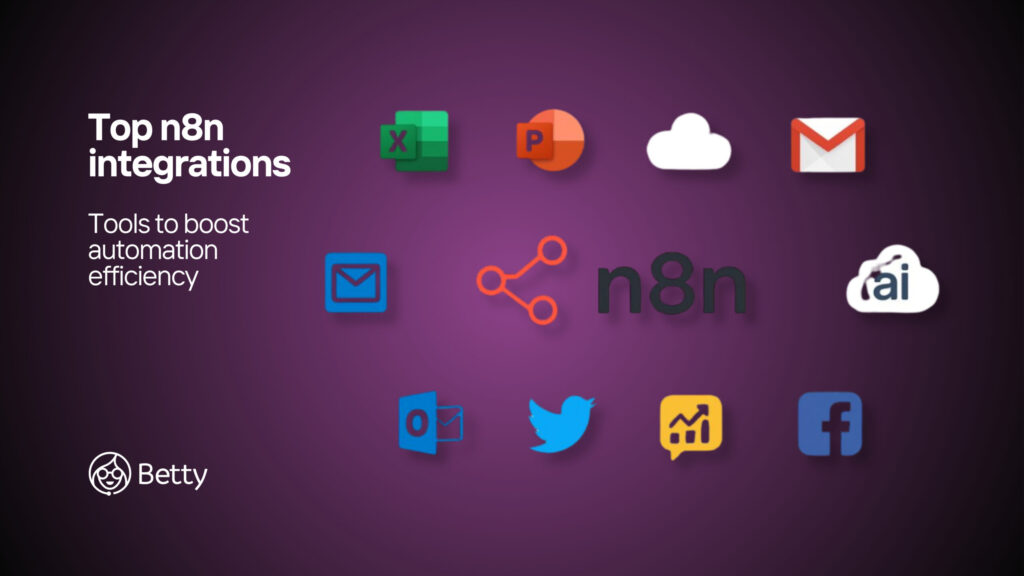
- Database & record-syncing: AI agent collects call transcripts, notes, or metadata → n8n pushes them to Airtable, MySQL, or Postgres; keeps all your reports, dashboards, and KPIs updated without a single manual copy-paste.
When these integrations work, you feel like a workflow wizard. No frantic refreshes, no panicked messages, just clean automation that actually saves time.
Common Limitations & Challenges in AI Call Agent n8n Integration
If the “What Works” section felt like a dream, this one is your reality check. Some workflows make you want to throw your laptop out the window, not because n8n or your AI call agent are broken, but because certain limitations just exist… and they love showing up at the worst possible time.
Here’s where things get tricky:
- Real-time streaming isn’t perfect: Your AI agent can’t always stream the conversation live into n8n without pauses or hiccups; workflows usually trigger after the call, not during. That means “real-time” monitoring is more like “slightly-late-time,” which is still better than nothing, but can feel awkward when your team is waiting on instant alerts.
- Complex branching logic can break workflows: Trying to shove every if-this-then-that inside n8n? Painful. The AI agent should handle the conversation logic; n8n should handle data movement and notifications. Overcomplicating your n8n workflow can lead to random errors that make you question your career choices.
- Large transcripts can be a nightmare: Full call transcripts can overwhelm some n8n nodes; raw transcripts may need chunking, summarizing, or trimming. Otherwise, your workflow slows down or fails, basically like trying to carry all in one trip.
- API/Webhook delays: Self-hosted n8n can introduce slow response times. If the AI agent waits too long for a webhook, calls might timeout, or automation may fail. Solution: async workflows, queues, or lighter payloads, but still a limitation to keep in mind.
- CRM-specific restrictions: Some CRMs hit API rate limits or change endpoints unexpectedly. High-volume calling campaigns can break your flow if n8n isn’t prepared. You might see errors pop up and think, “Why did this simple workflow betray me?”
- Error handling isn’t always fail-safe: Missed webhooks, node failures, or retries gone wrong. Without proper alerts, these failures can sit quietly, ruining automation without you noticing. Best practice: set up fallback logic and notifications to catch issues before they escalate.
In short, integrating an AI call agent with n8n is powerful, but it’s not magic. Some things will just make you groan, and that’s perfectly normal. Knowing these limitations helps you plan smarter workflows, instead of learning the hard way.
How to Build a Reliable AI Call Agent + n8n Workflow
We’ve seen the good, and we’ve seen the “please make it stop” moments. Now let’s talk about how to actually make an AI call agent + n8n setup that doesn’t make you question your life choices every time a call comes in.
These are the workflows and habits that keep things running smoothly, and save you from refreshing logs like it’s the stock market.
1. Use webhooks as your main communication line
Treat webhooks like the highway between your AI agent and n8n. They’re faster, more reliable, and less stressful than constant polling. Think of it as sending a courier instead of waiting for the slow post office; your data gets to where it needs to go without unnecessary delays or drama.
2. Keep conversation logic inside the AI call agent
The AI agent should handle all the talking, branching questions, and decision-making, while n8n takes care of the boring but necessary stuff like moving data, triggering alerts, and updating CRMs.
If you try to put too much conversation logic in n8n, your workflow risks spinning in circles like a hamster on a wheel.
3. Build modular, bite-sized workflows
Split your workflows into manageable chunks for logging, notifications, CRM updates, and follow-ups. Modular workflows are easier to debug when something breaks and reduce the chance of a single failure taking down your entire calling operation. Think of it as not carrying all your groceries in one bag; you’re less likely to drop everything.
4. Use summaries instead of full transcripts
Have your AI agent send a clean, short summary instead of a full transcript. This keeps payloads light, speeds up workflow execution, and avoids situations where a 10-minute call turns your workflow into a slow-motion disaster. Short summaries = less chaos, more efficiency.
5. Implement error handling & alerts
Set up notifications for failed nodes or webhooks, retry loops for intermittent issues, and logs in a database or Airtable. These steps let you catch errors without panicking, because silent failures are the true nightmare of automation.
6. Test in small batches before going live
Start with just a handful of calls, review logs, and monitor notifications. Scale gradually once everything works consistently. This approach saves you from accidentally spamming your entire sales team or CRM with test data, which is a level of embarrassment no one wants.
Example Use Cases: Betty AI + n8n Best Practices
Once you have a reliable workflow setup, the real fun begins: seeing what your AI call agent + n8n combo can actually do in day-to-day operations. Here are some real-world use cases that show the power of Betty AI when paired with n8n, without all the unnecessary fluff or theoretical jargon.
Use Case #1: Automated Lead Qualification + CRM Updates
Imagine your AI agent takes a call with a potential client, asks qualifying questions, and instantly labels them as hot, warm, or cold. That information then flows into n8n, which automatically updates your CRM, assigns the lead to the right salesperson, and triggers a notification.
No more manual entry, no more “Wait, who was that lead again?” moments. It’s fast, clean, and you get to feel like a productivity wizard without even touching a keyboard.
Use Case #2: Appointment Scheduling and Calendar Syncing
Betty AI can handle booking and rescheduling calls directly with clients. Once a slot is confirmed, n8n instantly updates your Google Calendar or Calendly, and can even send automated SMS or email reminders.
This process eliminates the usual back-and-forth where someone inevitably says, “I thought the call was at 3 pm… oh wait, that’s tomorrow.” It’s especially helpful when juggling multiple time zones or avoiding the classic “double-booked meeting” nightmare.
Use Case #3: Customer Support Routing and Escalations
Not every call is happy-talk territory. Your AI agent can detect sentiment, flag frustrated customers, and trigger n8n to escalate the issue to the right support rep or team lead.
At the same time, it can generate a brief summary of the call and push it into a database for future reference. This keeps your support process proactive, reduces missed issues, and prevents your team from finding angry voicemails after hours because nobody enjoys that surprise.
Use Case #4: Post-Call Follow-Up Sequences
Betty AI finishes a call, and n8n jumps in to trigger follow-up actions automatically. This could include sending a personalized thank-you email, an SMS reminder, or even a short survey to collect feedback.
All this happens without human intervention, which is perfect for teams that hate repeating themselves or managing dozens of manual follow-ups each day. It turns your AI agent into a 24/7 customer success machine that never forgets, never sleeps, and never complains about coffee breaks.
Use Case #5: Lead Data Enrichment and Validation
Your AI call agent can collect basic information during a call, and n8n can instantly enrich or verify that data with external APIs like Clearbit or Hunter.
Phone numbers, email addresses, and company details are cleaned, verified, and ready to use. This avoids messy spreadsheets full of partial data and stops your team from spending hours doing tedious verification tasks that nobody actually enjoys.
Use Case #6: Multi-Channel Notifications and Team Updates
Not every team member sits in the same inbox or platform. Using n8n, the AI agent can trigger notifications across Slack, Teams, SMS, or email whenever a call meets certain conditions, like a high-value lead or an urgent support issue.
Everyone gets the right info at the right time without being bombarded by notifications that don’t matter. This keeps your workflow efficient and your team aligned.
Use Case #7: Analytics and Reporting Workflows
Betty AI logs call metadata, and n8n pushes it to your analytics dashboard. You can track trends like call volume, sentiment, lead conversion rates, or average handle time without manually compiling reports. It’s like having a dedicated intern who never asks for vacation time and doesn’t spill coffee on your spreadsheets.
In Closing
The combination of Betty AI + n8n works best when you let each tool play to its strengths: the AI agent handles the conversation, n8n handles the data, and together they reduce repetitive tasks, human error, and “wait, what just happened?” moments.
When set up correctly, these workflows don’t just save time; they let your team focus on the stuff that actually matters, like closing deals or improving customer experience, instead of drowning in manual updates.
Ready to simplify your workflows? Try Betty today for free.
FAQs
What is an AI call agent n8n integration?
It’s connecting your AI call agent (like Betty AI) to n8n to automate call workflows, data logging, notifications, and follow-ups.
Can Betty AI handle live calls in real-time with n8n?
Mostly post-call. Real-time streaming is limited; workflows usually trigger after the call ends.
Which n8n workflows work best with an AI call agent?
Lead qualification, CRM updates, appointment scheduling, notifications, and post-call follow-ups run smoothly.
What common issues should I watch out for in an AI call agent n8n integration?
Large transcripts, slow webhook responses, API limits, and overly complex branching can cause failures.